
Description
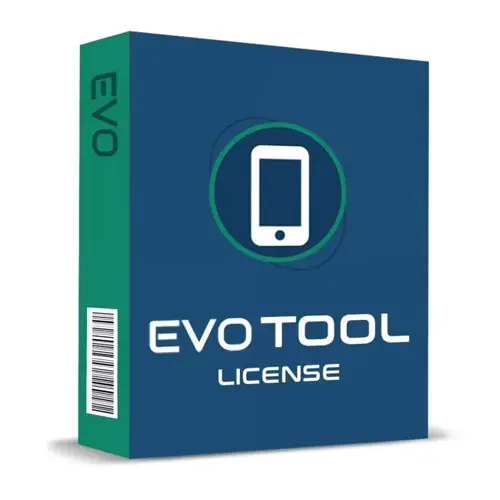
The EVO Tool Unlock 3 Months License is a powerful and reliable software activation designed for professional mobile technicians and repair specialists who need advanced servicing capabilities in one complete solution. Offered by Baba Tools, this 3 month license provides full access to EVO Tool’s professional features, allowing users to perform essential device repair, unlocking, and software operations efficiently and securely.
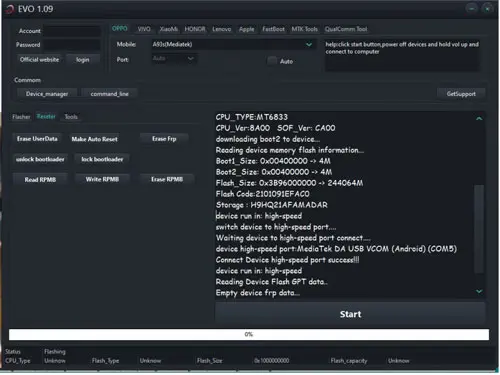
Whether you operate a mobile repair shop or provide independent device servicing, the EVO Tool 3 Month License delivers high-performance tools for IMEI repair, FRP removal, certificate management, bootloader operations, firmware changes, and much more. With fast activation and smooth processing, this license ensures you can start working without unnecessary delays.
At Baba Tools (https://babaocamachine.com), we provide genuine EVO Tool activation services with reliable processing and customer support, helping technicians unlock the full potential of their servicing workflow.
Why Choose EVO Tool 3 Month License?
The EVO Tool is designed as an all-in-one programming tool for mobile device servicing. Instead of using multiple applications, this single activation provides access to a complete suite of advanced repair and software management features.
The 3 month license is ideal for:
-
Professional mobile repair technicians
-
GSM service centers
-
Unlocking specialists
-
Software repair experts
-
Advanced device programmers
This short-term activation plan is perfect for technicians who want powerful tools with flexible licensing options.
Core Features of EVO Tool Unlock 3 Months License
1. Repair IMEI
IMEI (International Mobile Equipment Identity) is a unique 15-digit number assigned to every device. EVO Tool allows professional IMEI repair functions for supported devices. This feature helps restore device identity data in cases of software corruption or technical failure.
2. Repair MAC Address
Every network interface has a unique MAC (Media Access Control) address. With EVO Tool, technicians can repair or restore MAC addresses for supported devices when network connectivity issues occur due to corrupted or missing data.
3. Patch Certificate
Certificates contain essential device security and identification data. The Patch Certificate feature allows safe certificate management and restoration for supported operations, ensuring proper device authentication.
4. Reset FRP Lock / FRP Remove
Factory Reset Protection (FRP) can prevent device access after a reset if original credentials are unavailable. EVO Tool provides FRP reset and removal functions for supported models, enabling technicians to restore access professionally.
5. Network Factory Reset
This function resets all network-related settings back to factory state. It helps fix network connection problems and restores original communication parameters.
6. Read Codes Online
The Read Codes Online feature allows users to retrieve network unlock codes and unfreeze codes (credit-based when required). This helps unlock devices safely using authorized server-based processing.
7. SW Change (Software Upgrade/Downgrade)
With SW Change, technicians can upgrade or downgrade firmware versions. This feature is especially useful for:
-
Fixing boot errors
-
Resolving freezing issues
-
Solving system crashes
-
Restoring device stability
8. Unlock / Relock Bootloader
The bootloader controls how a device starts its operating system. EVO Tool allows secure bootloader unlock and relock operations for supported models, giving technicians full control over firmware customization and system-level repairs.
9. CSC Change
CSC (Consumer Software Customization) controls region-specific settings and configurations. With CSC Change, technicians can modify region settings where supported, allowing device customization for different markets.
10. Device Info Reading
EVO Tool can read detailed device information directly from supported phones, including:
-
Serial number
-
Factory data
-
Hardware information
-
Software details
This helps technicians diagnose problems accurately before performing operations.
11. Read Certificate
The Read Certificate function allows saving certificate data from the device. This is important for backup purposes before performing advanced servicing tasks.
12. Write Certificate
With Write Certificate, technicians can restore previously saved certificate data to the device, ensuring data consistency and secure recovery.
13. Store / Restore Backup
Before performing complex procedures, users can store full device calibration and safety parameters. The Restore Backup feature ensures that original data can be safely recovered if needed.
Supported Platforms
The EVO Tool supports a wide range of modern smartphones powered by various chipsets and operating systems. It works with many of the latest devices using advanced hardware platforms, making it a versatile programming tool for today’s repair industry.
Support includes devices running on major mobile chip technologies, ensuring compatibility with a large number of current-generation smartphones.
Benefits of EVO Tool Activation from Baba Tools
When you purchase the EVO Tool Unlock 3 Months License from Baba Tools, you receive:
-
Genuine EVO Tool activation
-
Fast processing
-
Secure license delivery
-
Professional service support
-
Reliable digital activation
-
Competitive evo tool license price
We focus on providing authentic evo activation services to ensure smooth and uninterrupted usage during your license period.

















![FastCronJob Active License [30/90/365 Days]](https://babatools.com/wp-content/uploads/2026/03/FastCronJob-Active-License-500x500.jpg)